

Free download · Windows 10 and 11
Motionsound Notch Encoder
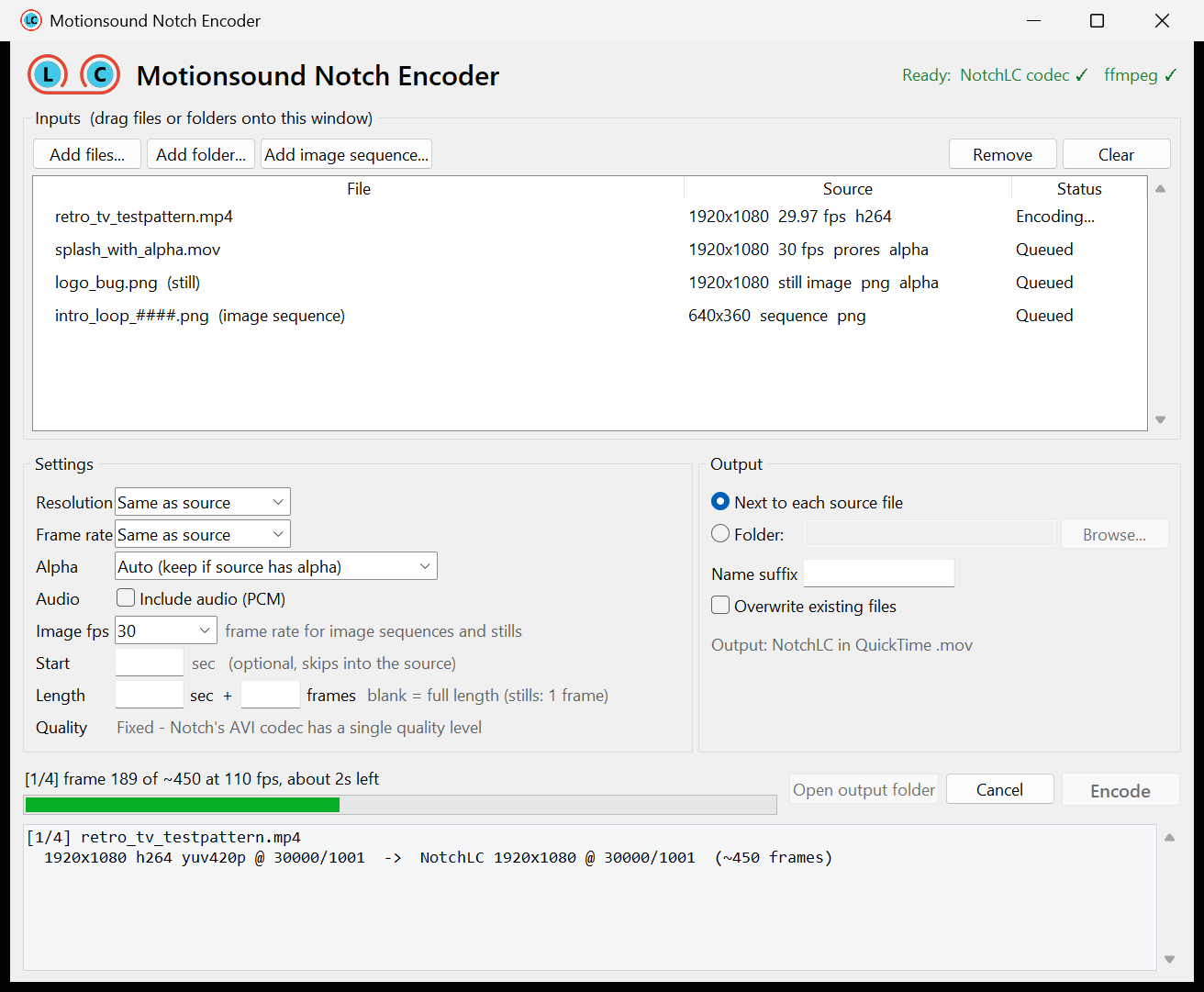
Drop in MP4s, MOVs, ProRes, image sequences or single stills and get NotchLC files ready for Disguise and Notch. Alpha comes along, lengths can be set to the exact frame, and whole folders encode in one go.
What it does
- Any video inMP4, MOV, ProRes, H.264/H.265, MKV, AVI and more, plus PNG, TIFF, EXR and JPG sequences.
- Stills to clipsA single JPG or PNG becomes a 1-frame NotchLC clip, or any length you set.
- Keeps alphaTransparency from ProRes 4444, PNG and other alpha sources is kept. Quality matches Notch's own Adobe plugin.
- Exact lengthsSet seconds and frames, like 0 s + 5 f or 10 s + 10 f, with no frame maths.
- Resize and retimeResolution presets or a custom size, frame-rate conversion, trims, and optional PCM audio.
- Batch friendlyDrag in files or whole folders, watch the progress, cancel any time. Your settings are remembered.
- Notch's own codecCompression uses Notch's official NotchLC codec. Files are tested in Disguise.
Before you start
- A Windows PC with a DirectX 11 graphics cardWindows 10 or 11, 64-bit. The codec encodes on the GPU.
- Install Notch's free NotchLC plugin for AVIGet "Legacy QuickTime and AVI" from notchlc.notch.one. It's free and needs no Notch licence.
- ffmpegIf it isn't installed yet, the app shows an Install ffmpeg button that sets it up for you. You can also run
winget install Gyan.FFmpeg. - Unzip and runUnzip anywhere and open
Motionsound Notch Encoder.exe. Keep the_internalfolder next to it. If Windows SmartScreen appears, choose More info, then Run anyway.
Good to know
- Output
- NotchLC in a QuickTime
.mov, saved next to each source or in a folder you pick. An original is never overwritten. - Quality
- Fixed. Notch's AVI codec has one high quality level.
- Color
- Tagged sources keep their color space. Untagged HD video is treated as Rec.709.
- Alpha
- Straight (not premultiplied), the same as Notch's Adobe plugin.
- Command line
- The same exe runs from a terminal, for example
"Motionsound Notch Encoder.exe" --cli logo.png --frames 5. Use--cli -hfor every option.